Hi, this is Yusuke from Discover Japan Hidden. If you’ve just searched is hotel wifi safe, you’re probably sitting at home planning your Japan trip, or maybe already in a hotel room wondering if it’s okay to connect to that free Wi-Fi. I totally get it — you want to stay online for maps, bookings, messages, maybe a quick scroll on social media, but you don’t want your bank account or personal data to be at risk. In this guide I’ll walk you through what hotel wifi safety really looks like, the most common hotel wifi security risks, how to use hotel wifi safety tips in a practical way, and when it’s smarter to switch to options like mobile data, pocket wifi or a travel SIM instead. By the end, you’ll have a clear, relaxed answer to your original question about is hotel wifi safe and know exactly how to stay connected in Japan without unnecessary stress.
Many travelers also worry about public wifi hacking risks in hotels, whether hotel wifi vpn tools really help, and if hotel wifi for banking is ever a good idea. Some people read hotel wifi safe reddit threads and get even more confused, because the opinions are all over the place. So in this article I’ll keep things simple and honest: I’ll explain what’s realistically dangerous, what’s usually fine, and what I personally do as a Japan local when I stay in hotels or guesthouses. Think of this as your local friend sitting next to you and helping you make calm, sensible decisions about your connection instead of scaring you with technical terms.
- Key basics of hotel Wi-Fi safety and typical risks you should know
- Practical safety tips for using hotel Wi-Fi in Japan without overthinking
- Clear comparison between hotel Wi-Fi, mobile data, pocket Wi-Fi and travel SIM
- Simple decision guide so you can choose the safest option for your own trip
Understanding is hotel wifi safe: What you should know

First, let’s slow down and really understand what “safe” means when we talk about hotel Wi-Fi. This is a good moment to step back and look at when the risk actually becomes higher, because once you understand those situations, it becomes much easier to choose the right option and apply the right level of protection.
Is hotel wifi safe basics for Japan

When people ask is hotel wifi safe in Japan, the short answer is: it depends what you do on it and how the hotel has set things up. Many business hotels, ryokan, and city hotels offer free Wi-Fi in the room and lobby. Sometimes it’s a completely open network with no password. Sometimes there’s a common password printed on a card or shown on the TV. And sometimes each room has its own dedicated router.
From a security point of view, the more “shared” and “open” a network is, the more careful you should be. An open network with no password doesn’t encrypt the traffic between your device and the router, which makes it easier for someone on the same network to snoop. A shared password (for all guests) is a bit better, but still means anyone in the hotel can try to see what’s happening on the network if they have the tools and skills. A private router or properly segmented network per room is the safest pattern, but you often don’t know which one your hotel is using.
Japan has a reputation for being safe in everyday life, and that is generally true in terms of crime in the streets. But network security is a different story. Even in a “safe” country, a badly configured hotel router can still expose your traffic. So instead of assuming that hotel Wi-Fi must be safe because it’s Japan, it’s better to assume it’s like any other public Wi-Fi and then add your own safety layers on top.
Quick basics for hotel Wi-Fi in Japan
- Open networks (no password) are the riskiest for sensitive tasks
- Shared passwords are slightly better but still “public” in practice
- Private in-room routers are usually safer but still benefit from a VPN
- Your behavior (what you do online) matters as much as the network setup
For casual browsing, reading news, checking weather, or looking up restaurants, using hotel Wi-Fi with some basic care is usually fine. The danger grows when you start typing passwords, credit card numbers, or personal details into websites and apps. That’s the line I want you to keep in mind as you read the rest of this guide.
Hotel wifi safety tips in Japan
Now let’s talk about hotel wifi safety tips you can actually follow without needing a degree in cybersecurity. My goal here is simple: small habits that give you big protection.
Confirm the real network
Step one is to make sure you are on the real hotel network. At check-in, ask the staff to write down the exact Wi-Fi name and password. Many hotels also show this information in the room or on the TV. If you see multiple similar names like “Hotel-Sakura-WiFi” and “Hotel-Sakura-Free”, don’t guess — call the front desk and ask which one is official. This alone helps you avoid fake “evil twin” networks that attackers sometimes use to trick guests.
Turn off auto-connect
On your phone or laptop, disable automatic connection to open Wi-Fi networks. Otherwise, your device might quietly jump onto a random hotspot in the lobby, café, or train station without you noticing. Set things so that you choose networks manually, and forget networks you no longer need. It’s a small step, but it closes one easy door for attackers.
Keep devices updated
Before you travel, update your phone, laptop, browser, and apps. Security updates fix known holes that attackers could use on public networks. Turning on automatic updates is an easy way to stay protected without thinking about it. I recommend doing these updates at home on a trusted network, not for the first time on the hotel Wi-Fi itself.
Local tip: I like to run a quick “update check” on my phone and laptop about a week before a trip. That way, if something behaves strangely after the update, I have time to fix it before I’m standing in an airport lobby trying to connect.
Combined, these hotel wifi safety tips help reduce the chance of connecting to a malicious network or being targeted by simple attacks. They don’t make your connection magically perfect, but they put you in a much safer position than just tapping “connect” without thinking.
Hotel wifi security risks explained

To understand why people worry about is hotel wifi safe, it helps to see what can realistically go wrong. You don’t need to become a hacker to understand this — just a bit of plain-language explanation.
Eavesdropping on unencrypted traffic
On unsecured or poorly configured networks, attackers can capture data as it travels between your device and the internet. If the website or app doesn’t use proper encryption (HTTPS), information such as login names, some messages, or other details can potentially be read. That’s why you see so many recommendations to check for the little padlock icon and https in the browser address bar when you log into sites.
Session hijacking and cookies
Even if you don’t type your password, many sites use “session cookies” to remember that you are logged in. On some older or poorly secured websites, attackers can try to steal these cookies on insecure networks and pretend to be you. This is one reason why it’s good practice not to stay logged in to important sites on public Wi-Fi and to log out properly after use.
Malicious hotspots and captive portals
In some cases, attackers create fake hotspots that look like real ones, or they manipulate the “captive portal” page (the page that pops up asking you to accept terms) to trick you into entering passwords or downloading malware. Again, this is where confirming the exact SSID with the front desk and avoiding suspicious download prompts becomes very important.
Public Wi-Fi is widely considered less secure than private networks. For example, many government cybersecurity guidelines advise people not to send sensitive information such as online banking details over public hotspots unless strong encryption and extra protections are in place. One official example is the advice on public Wi-Fi from the Hong Kong Government’s InfoSec portal, which clearly recommends avoiding the transmission of sensitive data on public wireless networks without proper security controls. (Source: Hong Kong Government InfoSec – “Tips on Using Public Wi-Fi”)
The goal here is not to make you afraid of every hotel network, but to show why treating them as “public” rather than “private” is the smart mindset. Once you see the risks clearly, it becomes much easier to choose when hotel Wi-Fi is “good enough” and when you should switch to something safer.
Public wifi hacking risks in hotels
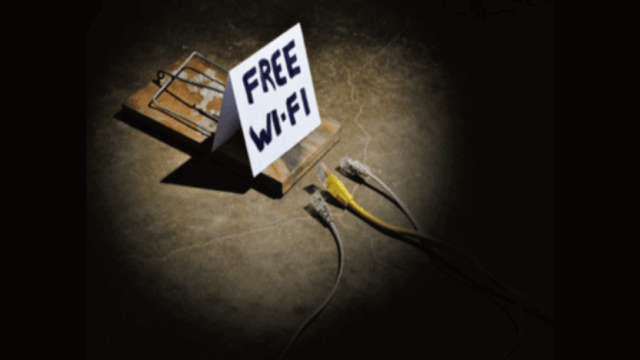
Public wifi hacking risks in hotels get a lot of attention online, and some stories can sound quite dramatic. In reality, the biggest risk is usually not that someone is targeting you personally, but that attackers see hotels as convenient places to find many travelers at once.
Imagine a lobby or business-hotel floor where dozens of phones and laptops are connected to the same open network. If even a small percentage of those people are logging into weakly protected sites, reusing passwords, or connecting without any encryption, an attacker on the same network has many easy targets to choose from. They don’t have to be a genius; many hacking tools are now packaged in user-friendly ways.
Who is most at risk?
Typically, the most attractive targets are:
- People logging into work email or company VPN without proper security
- Travelers doing online banking or credit-card payments on unencrypted sites
- Those reusing the same password across many services
If you use strong, unique passwords, enable two-factor authentication (2FA) where possible, and avoid sensitive actions on hotel Wi-Fi, your risk drops significantly. Adding a VPN on top makes it even harder for an attacker to see anything useful, because your traffic is wrapped in encryption before it leaves your device.
Simple ways to lower hacking risk on hotel Wi-Fi
- Use a reputable VPN whenever you connect to hotel Wi-Fi
- Avoid online banking and high-risk payments on public networks
- Turn on 2FA for banking, email, and key services
- Log out after using important accounts and avoid “remember me” on shared networks
If you follow these habits, the chances of being the “easy target” in the hotel drop dramatically. Is hotel wifi safe in an absolute sense? No. But with the right habits and tools, you can make it safe enough for low-risk activities, and choose better options for anything more sensitive.
Hotel wifi safe reddit and Hotel wifi for banking

If you browse hotel wifi safe reddit threads, you’ll see everything from “I use hotel Wi-Fi for everything and never had a problem” to “I would rather turn off my phone than connect to hotel Wi-Fi even once.” The truth, as usual, sits somewhere in the middle.
Most travelers who never had an issue either got lucky, only did low-risk activities, or unknowingly benefited from modern encryption in many apps and websites. On the other hand, some of the scariest stories come from people who did online banking, entered card numbers on shady sites, or clicked suspicious links while using public networks. Reading these threads can be useful to see what went wrong for others, but it’s important not to panic — use them as motivation to build good habits instead.
Is hotel Wi-Fi okay for banking?
This is one of the most common and important questions. My personal recommendation is:
- Avoid online banking on hotel Wi-Fi if you have a safer alternative such as mobile data or pocket Wi-Fi.
- If you absolutely must access your bank, use a VPN, make sure the site or app uses strong encryption, and keep the session as short as possible.
- Enable 2FA for your bank and set up alerts for unusual activity so you can catch problems early.
Even with these precautions, hotel wifi for banking will never be as safe as using a private home network or a well-secured corporate connection. It’s better to think of hotel Wi-Fi as “good enough for checking a train timetable or restaurant review” and not the place to move large sums of money unless you really have no other choice.
When it comes to your savings, credit cards, and personal identity, it’s always better to be a little over-careful than a little too relaxed. If you’re unsure whether a specific operation (like changing a large investment or transferring money overseas) is safe over hotel Wi-Fi, postpone it until you’re back on a trusted network or ask your bank for official recommendations. Always check the latest details and security guidance on each service’s official website, and if you still feel unsure, the final decision should be made in consultation with a qualified professional or your financial institution.
So, as you read conversations from hotel wifi safe reddit or other forums, use them as real-world examples, but always come back to these core ideas: prefer private connections for banking, add layers like VPN and 2FA, and don’t rush sensitive actions while you’re on a random hotel network.
Making a safe choice: is hotel wifi safe or should you use another option?

From here, let’s organize how to actually connect during your trip. You have several options — hotel Wi-Fi, mobile data, pocket Wi-Fi, SIM or eSIM — and the more choices you see, the easier it is to feel overwhelmed. The good news is that once you focus on a few key points like security level, convenience, and cost, the decision becomes much simpler.
Hotel wifi vpn benefits for travelers
A VPN (Virtual Private Network) is one of the easiest upgrades you can add to your travel toolkit when you worry about is hotel wifi safe. Once installed, a VPN app encrypts your internet traffic between your device and the VPN server, creating a secure “tunnel” even when the underlying network is public and noisy.
What a VPN does well
- Encrypts your traffic so people on the same Wi-Fi can’t easily see what you’re doing
- Makes it harder to track you across different networks and locations
- Adds a safety net when you have no choice but to use public Wi-Fi at airports, cafés, or hotels
For everyday travel, this means you can check emails, access travel bookings, log into social media, and even handle some moderate-risk tasks with more peace of mind. It’s not magic, but it’s a big step up from connecting without any protection.
What a VPN doesn’t fix
It’s also important to know what VPNs do not solve. A VPN will not protect you if:
- You type your password into a fake website that looks like your bank
- Your device is already infected with malware that records keystrokes
- You share passwords or reuse them across many different services
Think of a VPN as a strong lock on the “tunnel” between you and the wider internet. It protects against eavesdropping and many common attacks on public networks, but you still need to be careful where you walk and what doors you open once you’re inside.
Practical take-away: if you’re going to use hotel Wi-Fi more than just occasionally, installing a reputable VPN on your phone and laptop is one of the highest-value steps you can take. It’s especially helpful in Japan, where free Wi-Fi is common in stations and cafés but not always configured securely.
Again, any security tool is only as useful as how you use it. Set your VPN to connect automatically on untrusted networks and get used to glancing at the icon to confirm it’s active before you do anything important.
Hotel wifi vs mobile data in Japan

Next, let’s compare hotel Wi-Fi to mobile data from a SIM or eSIM. For many travelers, this is the most important decision, because it defines how “free” you feel when exploring Japan.
Security and reliability
Mobile data is usually more secure by default because your traffic is encrypted on the cellular network. You’re not sharing a local Wi-Fi network with strangers in the same way as a hotel lobby. This means that for sensitive actions — banking, logging into important accounts, managing airline changes — mobile data is generally the better choice.
In terms of reliability, mobile data in Japan is excellent in most cities and along major train lines. Coverage can drop a bit in very remote or mountainous areas, but for a typical first-time route (Tokyo–Kyoto–Osaka–Hiroshima, etc.), you can usually expect smooth service.
Cost and convenience
Of course, mobile data is not free. You’ll either bring an international roaming plan or buy a local SIM/eSIM. The cost can still be very reasonable compared to the value of stress-free navigation and translation during your stay.
| Option | Security level | Typical use case |
|---|---|---|
| Hotel Wi-Fi | Medium to low (depends on setup) | Light browsing, maps, trip research |
| Mobile data (SIM/eSIM) | High (encrypted cellular network) | Navigation, messaging, moderate banking |
| Hotel Wi-Fi + VPN | Higher (encrypted tunnel) | When you must use hotel networks |
If your budget allows, I strongly recommend having at least some mobile data available, even if you plan to use hotel Wi-Fi a lot. That way, when you need to do something sensitive, you can switch to mobile data for a few minutes, then go back to hotel Wi-Fi for lower-risk tasks.
For a deeper dive into plans and setup, you can also read my connectivity articles in the Japan Travel Connectivity category on my site: Japan Travel Connectivity guides. There I compare roaming, SIM, eSIM, and pocket Wi-Fi with real-world examples.
Hotel wifi vs pocket wifi in Japan
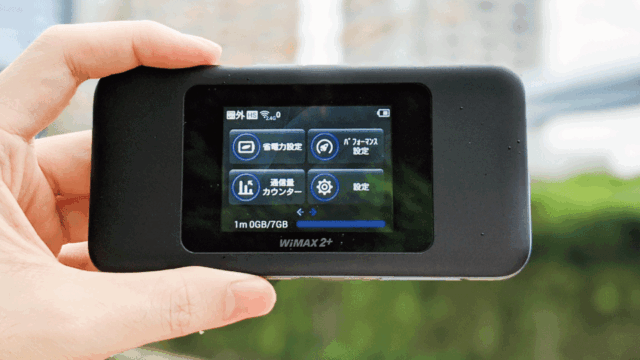
Now let’s talk about hotel wifi vs pocket wifi in Japan, because this choice can completely change how easy your trip feels, especially if you travel as a couple, family, or group of friends.
Why pocket Wi-Fi feels different
A pocket Wi-Fi device is basically your own private router that uses Japanese mobile networks. Instead of sharing a hotel network with many strangers, you and your travel companions share one protected connection. You turn it on in the morning, slip it into your bag, and everyone connects their phones and tablets to it during the day.
Compared to hotel Wi-Fi, the main advantages are:
- It moves with you — trains, cafés, shrines, mountains, anywhere with coverage
- You control who connects — only your group uses the network and password
- It often has more stable performance than overloaded hotel networks
The security upside is that you’re not joining “public” networks as often. You still have to treat it carefully, of course, but the overall risk profile is lower than constantly jumping between hotel, station, and café Wi-Fi hotspots.
If you’d like a more detailed breakdown of how pocket Wi-Fi rentals work in Japan, including airport pickup and which types of travelers benefit the most, you can check my in-depth guide: Complete Pocket WiFi Japan Wireless Guide for Travelers. I walk through real examples so you can picture how it fits into your own itinerary.
So, if you’re trying to decide between hotel Wi-Fi and pocket Wi-Fi, ask yourself: do you want a connection only in your room, or everywhere you go? And how comfortable are you with sharing a network with many strangers versus having your own mini-router just for your group?
Pocket wifi rental Japan and Travel sim card safety
When you look up pocket wifi rental Japan and travel sim card safety, you’ll see a lot of different opinions and marketing claims. Let’s simplify it with a focus on safety and actual experience rather than just numbers.
Pocket Wi-Fi safety points
With pocket Wi-Fi, the main safety advantages are:
- You set the password and only share it with people you trust
- Your traffic goes over encrypted mobile networks instead of public Wi-Fi
- You avoid many of the risks that come from random café or station hotspots
You should still choose a strong password for the device and avoid sharing it in public, but overall this is a big step up from open hotel networks. Also, because the device usually stays in your bag, you don’t have to reconnect to new networks constantly, which reduces the chance of joining something malicious by mistake.
Travel SIM and eSIM safety
Travel SIMs and eSIMs share very similar security properties with pocket Wi-Fi because they also use encrypted mobile networks. The main differences are practical:
- SIM/eSIM is perfect if you travel solo or with one main phone
- Pocket Wi-Fi shines when you have several devices or multiple people
- With SIM/eSIM you don’t carry extra hardware, but you must manage APN settings and SIM swapping (for physical SIMs)
Exact prices, data caps, and fair-use rules can change depending on season and provider, so treat any numbers or plan types you see in this article as general guidelines only. For precise, up-to-date details, always check the official pages of each carrier or rental company, and if you feel unsure about contract terms or technical requirements, it’s safest to contact the provider directly or consult a specialist.
From a pure safety angle, both pocket Wi-Fi and travel SIM/eSIM are usually better than relying only on hotel Wi-Fi. The choice between them is more about your travel style, number of devices, and how much you want to think about configuration. If you prefer a “just turn it on and go” experience for a group, pocket Wi-Fi is often the most relaxed option. If you prefer minimal gear as a solo traveler, a well-chosen eSIM can feel very light and modern.
Is hotel wifi safe choice for your stay
At this point, you might be thinking, “Okay, so what should I actually do?” Let’s translate all this into a simple is hotel wifi safe choice flow for your own trip.
A simple decision guide
Ask yourself these questions:
- Do you need to do online banking, manage investments, or send sensitive documents during your trip?
- Are you traveling solo with one main device, or with a group that has many phones and laptops?
- How comfortable are you with changing SIMs or setting up eSIMs?
If you rarely do sensitive things online and mostly use maps, translations, and simple browsing, then hotel Wi-Fi plus a VPN and some basic habits might be enough. If you expect to manage money or access work systems, I strongly recommend having mobile data or pocket Wi-Fi as your “safe channel”, and treating hotel Wi-Fi as a backup or for low-risk tasks only.
My typical pattern when I travel within Japan: I use hotel Wi-Fi for big downloads or casual browsing in the room, but I switch to mobile data or pocket Wi-Fi automatically whenever I handle payments, enter passwords, or sign into important accounts. That way, I get the convenience of free Wi-Fi without giving it control over my most sensitive actions.
Remember, there is no single perfect answer that fits everyone. The best choice is the one that matches your risk tolerance, budget, and tech comfort, while still letting you relax and enjoy your trip.
Is hotel wifi safe recap and key takeaways
Let’s wrap up the main points so you can quickly review them before your trip. Is hotel wifi safe in Japan? It can be safe enough for low-risk tasks if you use it with care and add extra protection like a VPN. But as a general rule, you should treat hotel networks as public, not private, and avoid doing anything on them that would seriously hurt you if it leaked.
- Open or weakly protected hotel networks are common worldwide, including in Japan
- Use hotel Wi-Fi mainly for maps, basic browsing, and light communication
- Add a VPN, strong passwords, and 2FA to raise your security level
- Prefer mobile data, pocket Wi-Fi, or a well-chosen SIM/eSIM for banking or very sensitive tasks
- Keep your devices updated and turn off auto-connect to unknown networks
Finally, one last important reminder: everything in this guide is based on general best practices and typical patterns. Hotel network setups and mobile plans can change over time, and your own situation might be different from the examples here. For exact technical details, prices, and conditions, always check the official websites of your hotel, carrier, VPN provider, or bank. If you ever feel unsure about a security or contract decision, the safest approach is to talk directly with a qualified professional or the official support team of the service you’re using.
That said, if you follow the ideas in this guide, you’ll already be far ahead of the average traveler. You’ll know when is hotel wifi safe enough, when to switch to something stronger, and how to enjoy Japan’s trains, temples, izakaya and hidden spots without constantly worrying about your connection. Have a wonderful trip, stay curious, and stay safely connected.